
Construction time and materials tickets are daily work records for a defined work event. They connect labor, materials, equipment, location, and the relevant instruction so the office can review what happened before preparing the commercial submission. They are not interchangeable with timesheets or change orders.
A useful ticket answers four questions: what work occurred, which quantities were used, what instruction and rate basis apply, and what the reviewer actually confirmed. A signature without those details leaves too much for the billing team to reconstruct.
Define the Record and Its Limits
A timesheet records a person's working time. A T&M ticket organizes resources around a specific work event. A change order records an approved contractual change through the project's agreed process. The records may reference each other, but one should not silently stand in for another.
The ticket's commercial meaning depends on the agreement, the wording presented, the authority of the people involved, and the applicable approval process. Confirmation of quantities is not automatically acceptance of rates, scope entitlement, or payment. A daily ticket should make those distinctions clear.
Procore's T&M signature instructions distinguish company and customer signees and describe their signature authority in that product workflow. They also tell users to check the ticket before signing. Product signature status is not a universal determination that a construction cost is payable.
Use a Four-Check Ticket Handoff
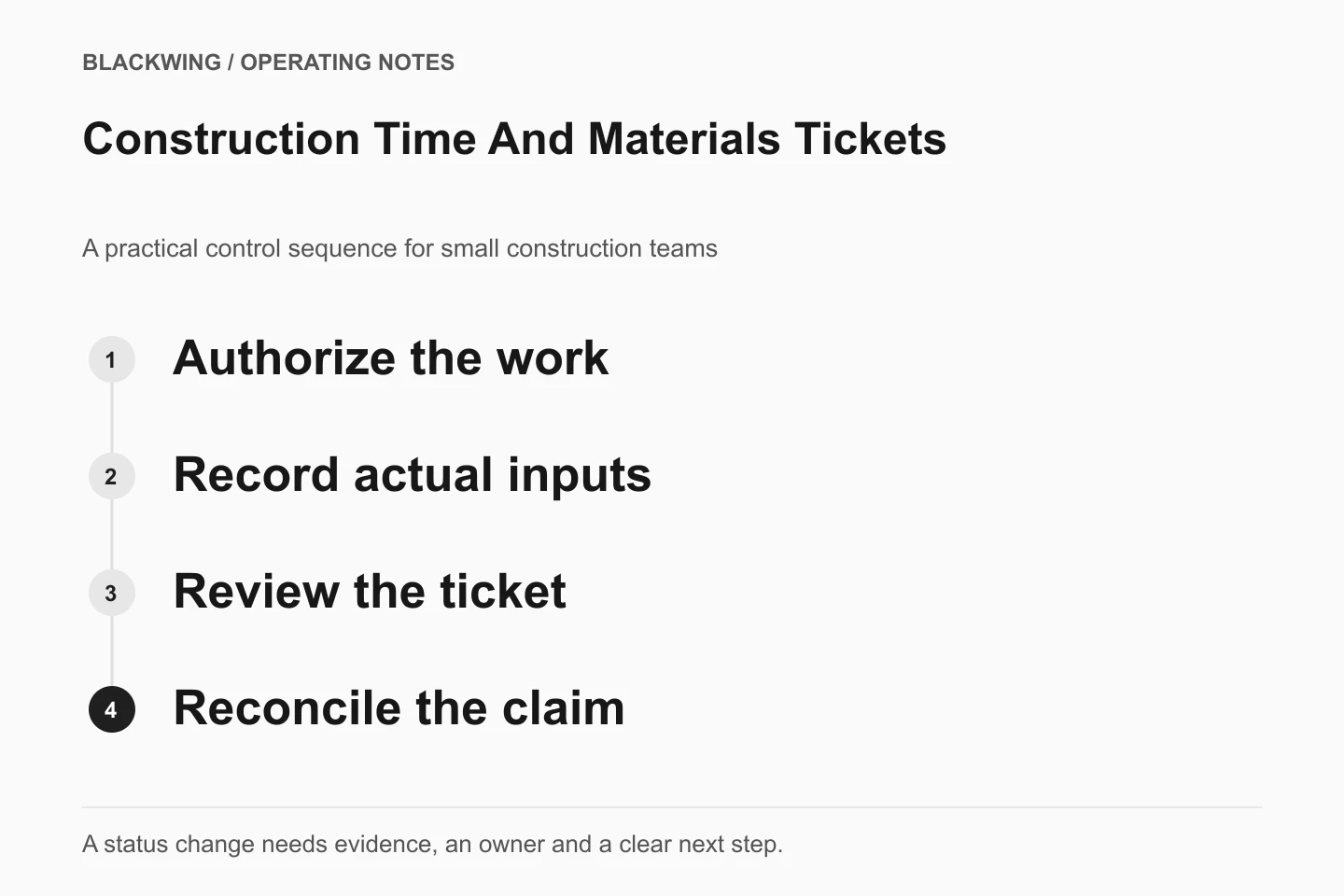
The proposed sequence is capture, verify, review authority and rates, then reconcile to billing. It is an operating example to adapt with the people responsible for your contracts and records.
1. Capture One Defined Work Event
Assign a unique ticket ID and revision. Record the project, date, location, work description, instruction reference, and person giving the instruction. Avoid descriptions such as "extra work" that make sense only to the person holding the clipboard.
For labor, capture the classification, people or approved identifiers, and hours attributable to the event. For materials, capture description, quantity, and unit. For equipment, capture identity, quantity or duration, and the applicable usage basis. Link supporting receipts and photographs where relevant.
State units explicitly. "Two equipment" cannot tell the reviewer whether the ticket means two machines, two hours, or two rental days. Record interruptions or partial completion as facts rather than quietly adjusting quantities to fit an expected total.
2. Verify the Daily Evidence
The field reviewer checks the work description and resource quantities while the event is still fresh. Reconcile labor entries with the relevant time records without turning the ticket into a second payroll system. Investigate overlaps rather than assuming all recorded hours belong to the extra-work event.
Use a clear correction history. Preserve the original entry, identify the amendment, and record who changed it and why. If a signed record needs correction, follow the agreed process for a revised record and any required renewed confirmation. Do not alter a signed PDF and present it as the unchanged original.
Record what the reviewer is confirming and what remains unresolved. A customer representative may confirm seeing a crew at the location while questioning the quantity or their authority to approve commercial terms. The workflow needs room for that qualification.
3. Review Scope Authorization and Rate Basis
Keep the work instruction, quantity confirmation, and commercial approval as separate references. Identify the applicable rate schedule and revision, labor categories, equipment basis, material treatment, and any approved limits. Mark missing or disputed authority rather than guessing it from a signature.
A federal example shows why the basis matters. FAR 52.232-7 relates payment to contract labor categories and rates and addresses supporting timekeeping or other approved substantiation. That clause is specific to its federal contracting context; it does not impose a ticket format or pricing rule on every private contractor.
Have the responsible commercial reviewer resolve rate, scope, and approval questions. This guide is about usable records, not legal entitlement or advice on what a contractor may charge.
4. Reconcile the Ticket to Its Billing Destination
Link each reviewed ticket to the relevant change event, approved authorization, or invoice line used by your process. Record billed quantity and amount separately from the original field quantities. If the commercial reviewer excludes a line, preserve the reason.
Prevent the same revision from being picked up twice. A ticket can support a submission without being separately billable again. Keep submitted, accepted, adjusted, and paid as distinct states, with the appropriate records behind each.
A T&M Ticket Control Sheet
| Control | Suggested fields | Question it answers |
|---|---|---|
| Identity | Ticket ID, revision, work date, location | Which event and record are we reviewing? |
| Quantities | Labor hours, material units, equipment basis | What resources are evidenced? |
| Instruction | Requester, instruction reference, scope status | Why was the work undertaken? |
| Rate basis | Schedule revision, categories, unresolved items | How will proposed pricing be checked? |
| Confirmation | Reviewer, authority, qualifications, date | What did the person actually confirm? |
| Billing link | Submission reference, included lines, exclusions | Where did the reviewed ticket go? |
This is an original example, not a universal form. Use only the personal information needed for the workflow and protect the underlying employment and commercial records appropriately.
Illustrative Example: Quantity Confirmed, Rate Unresolved
Imagine a hypothetical crew performs a separately instructed work event. The daily ticket records labor hours, material quantities, and equipment time. The site representative confirms the recorded resources but notes that the equipment rate needs office review. This is an invented example, not a Blackwing project story.
The coordinator records quantity confirmation and leaves the rate exception open. The commercial reviewer checks the agreed rate basis and the representative's authority, then records the permitted next step. The billing team uses the reviewed version rather than assuming the signature approved every cost.
If the ticket later changes, the revision remains linked to the original and the confirmation history. That makes the difference visible to both the field team and billing reviewer.
Make Missing Signatures and Missing Decisions Visible
Create an exception queue for tickets awaiting confirmation, rate review, scope clarification, or revision. Give each exception an owner and next action. Do not classify all of them as "unsigned" if some are signed but commercially unresolved.
Agree who reviews the queue before the billing cutoff and who handles an unavailable reviewer. Record attempted routing and unresolved facts honestly. Never fabricate a signature or backdate a confirmation to make the package look complete.
Blackwing's construction practice addresses field-to-office handoffs. Once the process is agreed, workflow systems implementation can connect ticket capture, review queues, revisions, and billing references without treating every signed record as permission to invoice.
Frequently Asked Questions
Does a Signed T&M Ticket Guarantee Payment?
No. Its meaning depends on the agreement, signature wording, signer's authority, and other applicable requirements. The record may confirm quantities without approving rates or entitlement. Keep those decisions separately visible and route unresolved commercial questions for authorized review.
Can a Timesheet Replace the Ticket?
Not usually for this workflow. A timesheet may support labor hours but may not explain the work event, materials, equipment, instruction, or customer confirmation. Reference the time record rather than assuming it answers every ticket question.
What Should Happen When a Ticket Cannot Be Signed That Day?
Preserve the daily evidence and record the missing confirmation, routing attempts, owner, and next action. Follow the project's actual procedure for review and escalation. Do not invent approval or assume that silence accepts the quantities or price.