
A tracker is an administrative coordination tool. It does not determine which permits apply, interpret a jurisdiction’s rules, predict approval timing, or replace communication with the relevant authority and qualified professionals. Requirements and online systems vary. Use the process and terminology of the authority that governs the specific project.
Give each application a durable record
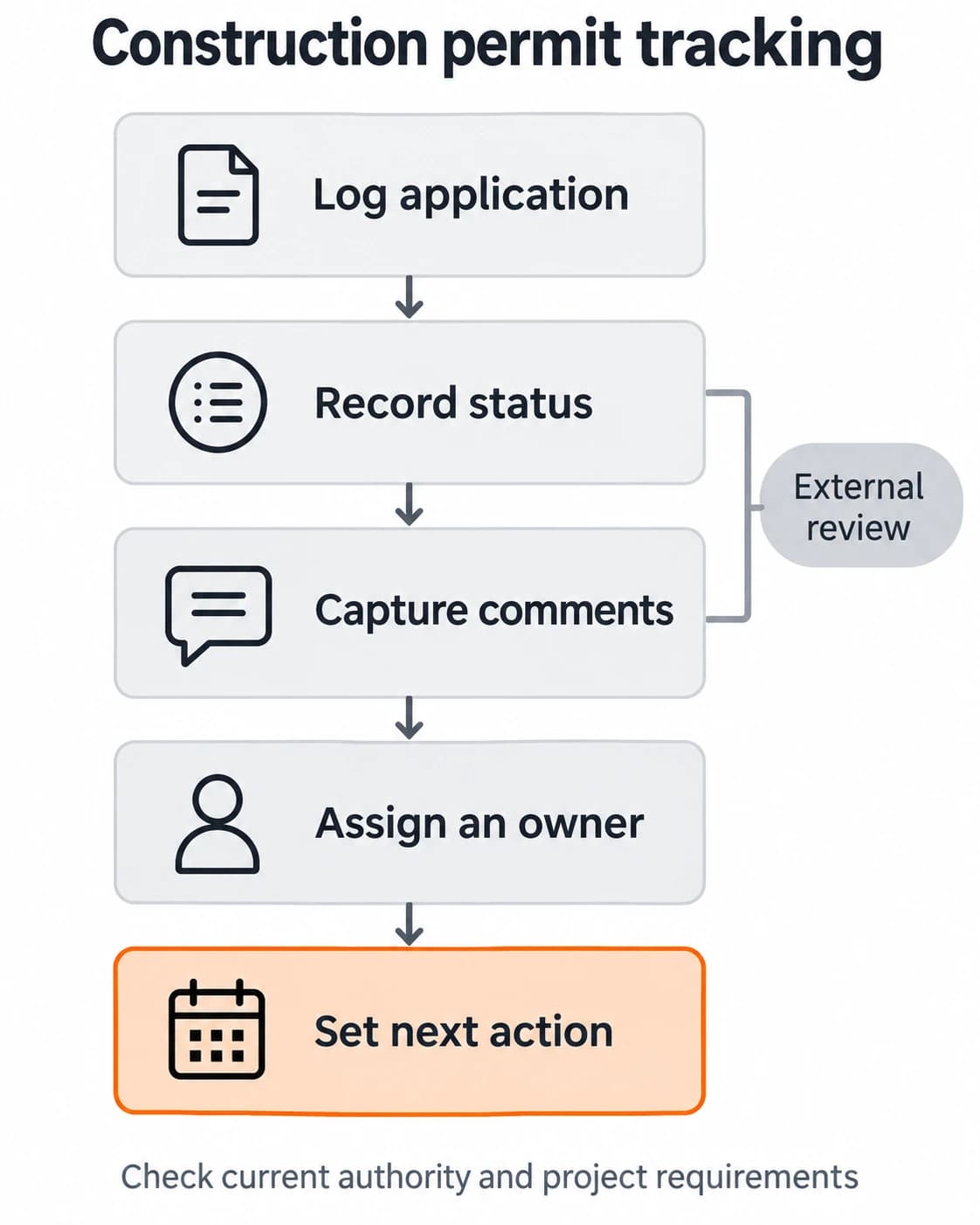
Create one record for each application or permit item the project team needs to track. Include a project identifier, application identifier when issued, authority or department, permit type as recorded by the project team, submission date, applicant or responsible contact, and links to the submitted package and related correspondence. Store sensitive material only in an approved location with appropriate access.
Do not assume that a project name alone is enough to identify a filing. The official application number, property identifier, or other lookup information depends on the local system. A Cook County, Illinois permit-status page, for example, describes lookup using an application number and Property Index Number. That is a local portal example, not a universal field list; other authorities may use different identifiers and processes. Cook County Building Permit Status Search
Record the source and time of each status update. “Checked the portal on Tuesday” is more useful than “pending” with no date. If an authority provides a comment, preserve the exact communication or link and summarize the operational next step separately. The summary should not alter or reinterpret the authority’s wording.
Track status, comments, and the next action
Use a small set of statuses that reflects the real workflow, such as preparing, submitted, awaiting response, action required, resubmitted, decision received, and closed. Adapt the labels to the authority’s system and your organization’s approved procedure. Avoid adding a status merely because it sounds reassuring. “In review” should be used only when the source supports it.
For every open item, capture the next action, owner, and target follow-up date. If a comment needs a response, link it to the person responsible for the response and identify any documents or decisions still needed. If the team is waiting for an external response, note when and how it will check again. A follow-up date is a reminder for the team, not a forecast of the authority’s decision.
Separate facts from estimates. A date shown in an online portal, a date an employee reports, and an internally planned follow-up are different pieces of information. Preserve their source labels. Do not promise an approval date based on an average, a past project, or an assumed service level.
Connect the tracker to project decisions
The project schedule should show the dependency that matters to the work, rather than copying a permit status without context. If a milestone depends on a decision, name the dependent work, the person who assessed the schedule impact, and the date the team will revisit it. The tracker can flag the dependency, but an authorized project or technical lead should decide how it affects the plan.
Keep related applications distinct when they have different owners, authorities, or next actions. At the same time, connect them to a project-level view so a coordinator can see the combined picture. This balance avoids two common problems: a single record so broad that no one knows what to do, and separate records that hide a shared dependency.
Illustrative example: A project has two tracked applications. One receives a request for additional information while the other has no new update. The coordinator logs the source and date of the request, assigns the response to its owner, links the relevant file, and keeps the second record’s status unchanged. The project schedule is reviewed by the authorized lead. This example illustrates recordkeeping only; it does not imply a particular authority’s review sequence.
Make the process resilient to handoffs
The tracker should answer five questions for someone taking over: What is this application? Where did the latest status come from? What is still unresolved? Who owns the next move? When will the team check again? If the record cannot answer these questions, improve it before adding more fields.
Decide who may change status, who can submit responses, and who can mark an item closed. Preserve a short change history where the system supports it. When a staff member is away, the backup owner should be able to find the current record without searching through personal inboxes. These are process-design choices that should align with company procedures and project agreements.
Review recurring delays in the tracking process without assigning blame from incomplete data. Look for missing ownership, unclear handoffs, repeated document searches, and status labels that mean different things to different people. If a workflow change is needed, route it through the organization’s normal review process so a useful experiment does not silently become policy.
Teams that need to clarify recurring ownership and exceptions can explore Business Process Mapping & Documentation. For a focused discussion of operating friction and a practical next step, book a 30-minute Operations Review. These services address workflow coordination; they do not determine permit applicability or outcomes.
Frequently asked questions
Can a permit tracker tell us when approval will arrive?
No. It can record source-backed status and prompt the team to follow up, but it should not predict an authority’s decision or timing. Keep planned follow-up dates separate from official dates.
What fields should every permit tracker include?
At minimum, capture a project identifier, authority, application identifier when available, current source-backed status, last-checked date, linked records, next action, owner, and follow-up date. Adapt the fields to the actual authority and internal process.
Should every email update change the status?
Only when it provides relevant, reliable information. Record the sender and date, preserve the message, and update the status to match what the communication actually confirms. A receipt acknowledgment is not necessarily a decision.
Who should own the tracker?
Name a coordinator responsible for keeping records current, with backups and clear limits on who can submit or approve responses. Technical and project decisions should remain with the authorized people.