
Setup is the easy half.
A monday.com rollout usually starts well. Boards get built, the columns make sense, automations fire, and for a week or two everyone updates their items. Then it drifts. Someone asks a question in the group chat instead of checking the board. Someone else keeps a private spreadsheet because it is faster for the part they care about. A month later the board is updated after the fact, usually by one person, while the real work is happening somewhere else.
I get called in for this fairly often, and the brief is nearly always the same: the team needs more training.
It is usually not training. If someone knows how to change a status from Working on it to Done and still does not, the reason sits upstream of the tool.
What stalled monday.com adoption looks like
Nobody sends an email announcing that they have stopped using the system. It shows up as small things.
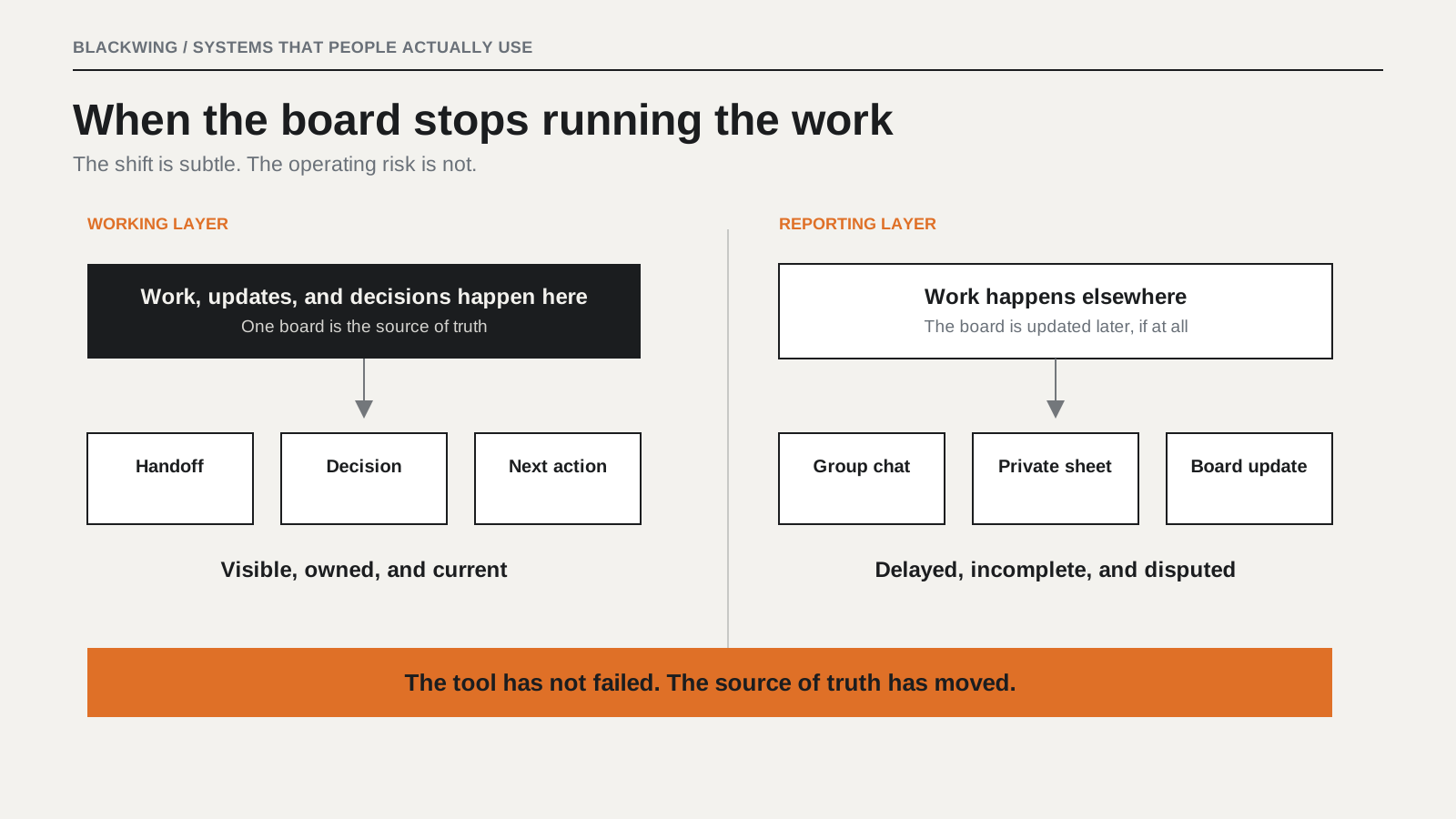
The board becomes a reporting layer
People do the work, then record it afterwards so the board looks current. That is a meaningful difference. A working layer is where decisions get made. A reporting layer is a chore people do at the end of the day.
Two sources of truth appear
The board says the job is scheduled for Thursday. The group chat says it moved to Monday. Everyone believes the chat because that is where the decision actually happened. Once that goes wrong twice, people stop trusting the board for anything that matters.
Someone builds a second board
This is usually a sign of a specific gap. The first board does not show the one thing a particular person needs, so they make their own version to track it. Now there are two, they disagree, and nobody has said which one is authoritative.
Items are created and never closed
Six months in, there are hundreds of open items. Most finished long ago. Nobody can tell live work from residue. monday.com supports automatic archiving for completed work, but that does not solve the underlying question: somebody has to decide the rule and own it.
One person carries the board
Usually it is whoever is most conscientious. They chase people for updates, enter items on other people's behalf, and hold the whole thing together by hand. From the outside it looks like the system is working. It is not. One person is working and the system is being carried.
Why training does not fix it
Training teaches the tool. Most monday.com adoption problems are process problems that only became visible when the team tried to put them into software.
A whiteboard tolerates ambiguity. A conversation tolerates ambiguity. A status column does not. The moment you have to name the stages a job passes through, you are forced to answer questions the team has been quietly disagreeing about for years. Configure without having that conversation and the disagreement does not get resolved. It gets encoded.
The board was built from the org chart, not from the work
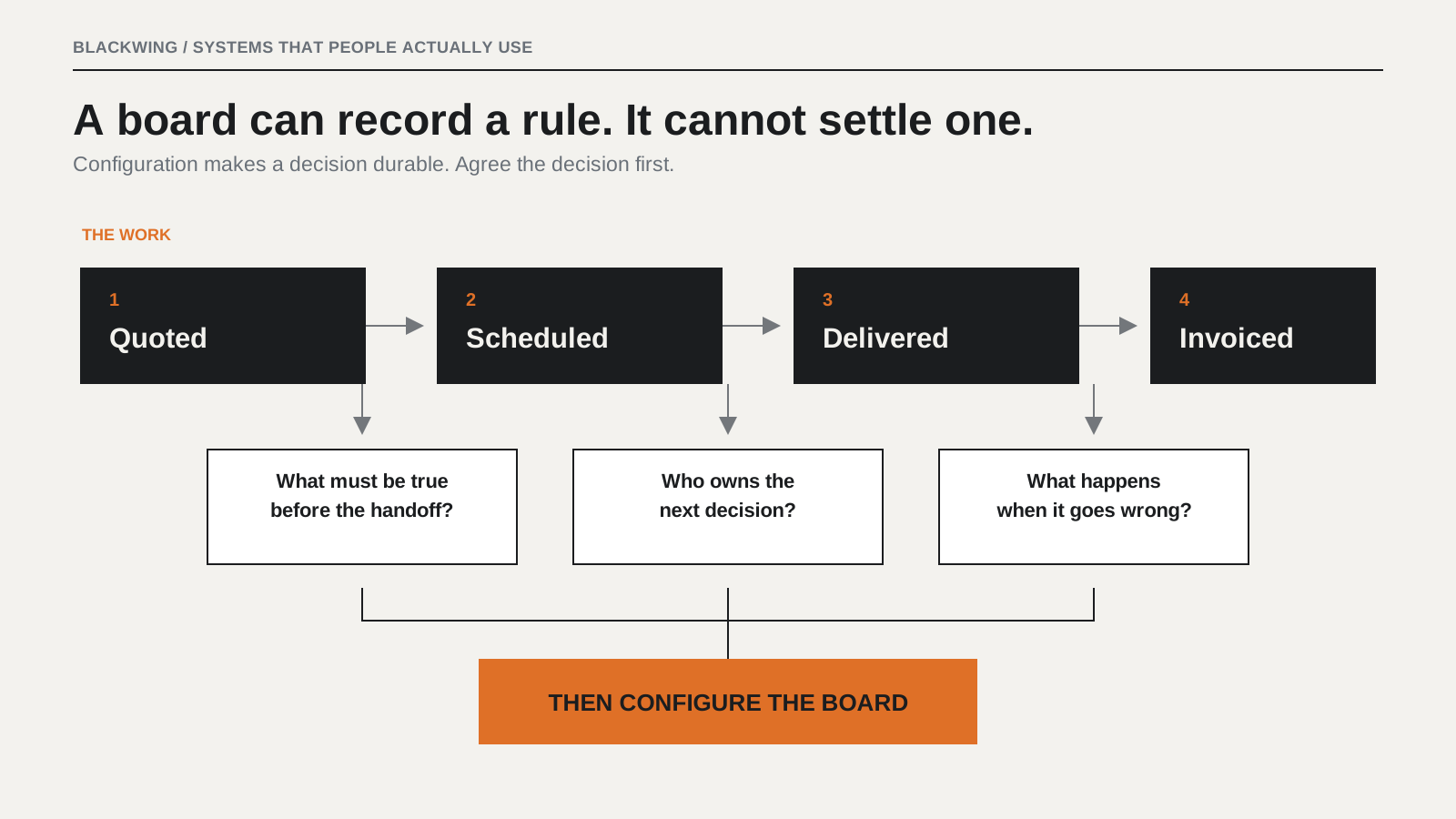
Boards are often organised around departments because that is how the company is organised. Sales has a board. Operations has a board. Finance has a board. But work does not move along the org chart. It moves across it. A job comes in, gets quoted, gets scheduled, gets done, gets changed halfway through, then gets invoiced. The crossings are where things usually break.
monday.com can connect boards and trigger actions across them. What it cannot do is tell you what has to be true before an item moves. If nobody has defined the handoff, the automation just relocates the ambiguity.
The process was never agreed before it was configured
You cannot automate a decision nobody has made. Take approvals. If two managers genuinely disagree about who signs off a change order above a certain value, and it has never been settled, then whatever the board does will be wrong for one of them. Route it to one manager and the other routes around the board. Route it to neither and it stalls.
Configuration makes things durable. Every automation writes a rule down. If the rule was never agreed, the configuration invents one, and people end up pushing back against the invention rather than the underlying question.
Nobody owns the board
Not admin rights. Ownership. Someone has to decide what a status means, be allowed to decide it, prune what no longer matters, and say no when a fourth person asks for a new column. Boards die of additions as often as neglect.
Without a named owner and a review rhythm, boards describe how the business ran in the month they were built. Then they drift a little further from reality every week until people stop consulting them.
The status column is where most boards go quiet
Out of the box, teams often begin with Working on it, Stuck, Done, and an empty state. Then they add a few labels and move on. The problem is what Working on it ends up carrying.
- Work that has genuinely started.
- Work that has been assigned but not touched.
- Work waiting on a client who has not replied.
- Work blocked internally on someone else.
- Work finished but not yet checked.
Five situations, one label. So the board cannot answer the question a manager actually has: what is stuck, and on whom? Stuck does not rescue it either, because Stuck does not say stuck on whom.
The fix is not more statuses for the sake of it. Decide what you need to be able to see, then make the column carry that and nothing else. Usually the useful split is between work that is moving and work that is waiting, with waiting broken down by who it is waiting on.
What adopted actually means
Usage dashboards can tell you items created, updates posted, and who is active on which board. They do not tell you whether the board is where the decision got made.
A better test: a new person joins, and the system carries them.
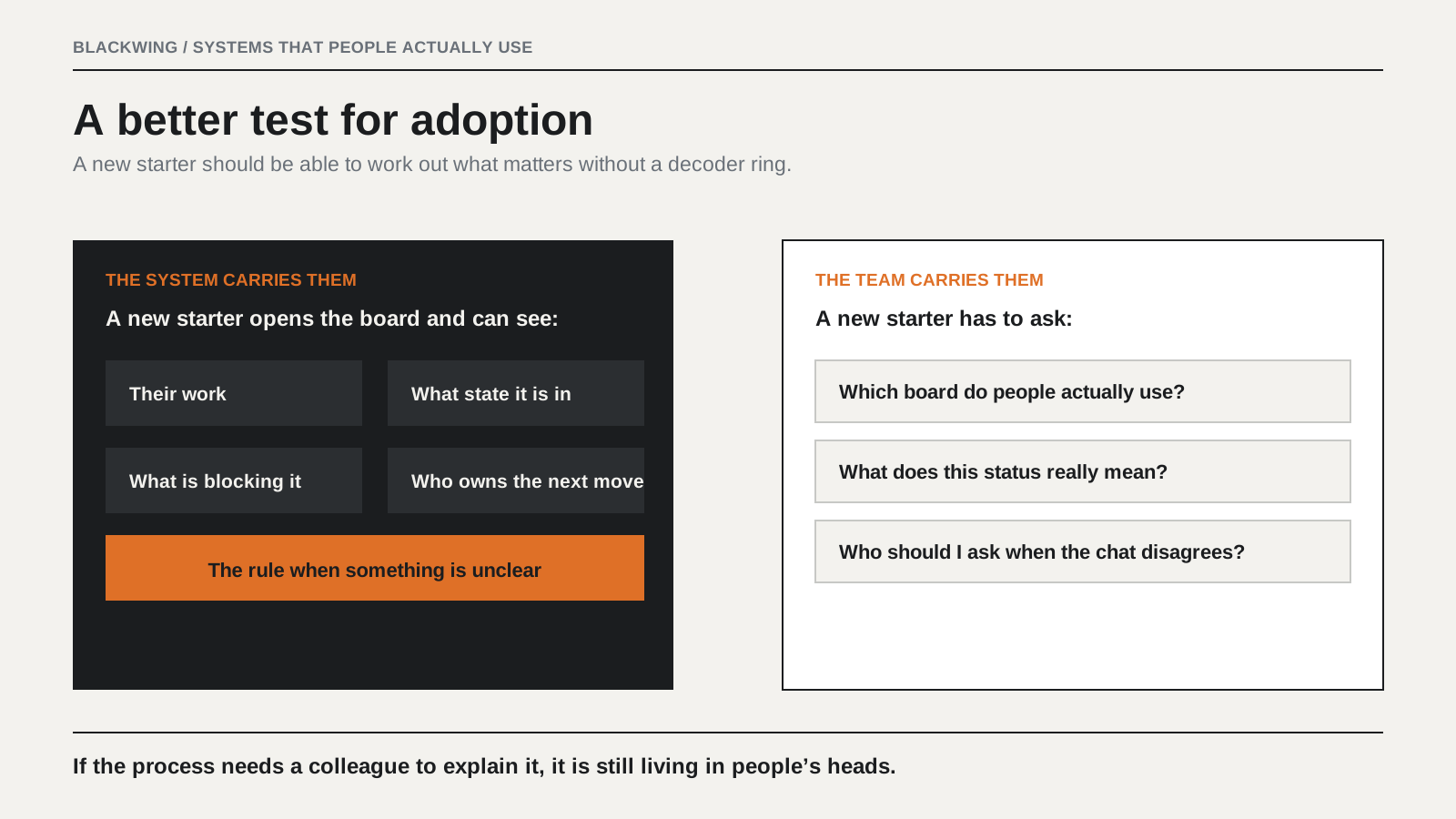
Someone starts on a Monday. Nobody has time to sit with them properly. Can they open the board and work out what they are supposed to do, what state each job is in, and who to go to when something is unclear? If yes, the process is genuinely in the system.
If they need a colleague to explain what the columns really mean and which board people actually use, the process is still living in people's heads. The board is a record of it at best.
The order that works
Process first, then configuration. Not for tidiness. Because of what configuration does.
- Agree the path a job takes from start to finish.
- Name the owner for each stage and handoff.
- Define what has to be true before work moves forward.
- Write down how exceptions and stalled work should be handled.
- Configure the board, permissions, and automations around those decisions.
- Give one person responsibility for keeping the system useful as the work changes.
For a small or mid-sized business, this is a handful of interviews, a map both sides recognise, and a written answer to who owns what. It is not a transformation programme. It is also not something you get to skip. Doing it after configuration costs more because by then people have opinions about the board rather than about the work. Those are harder to reconcile.
Where this does not apply
Sometimes the work needs something monday.com was not built for. A connected-board design covers a lot, but it cannot remove every data-model or governance limit. If an operation depends on one record being reliably tied to many others, with strict rules about what can change, you may meet a real product ceiling.
That is a question to answer by checking what the process actually needs against what the tool already holds. Most of the time, the existing system can carry an agreed process. Sometimes it cannot. Run those checks in that order and you avoid an expensive mistake.
The real question
In most stalled rollouts I have seen, the tool is fine and the team is fine. What is missing is an agreement about how the work runs, and monday.com is simply the first place that absence became impossible to ignore.
So the real question is not whether people will use the board. It is whether anyone has decided what the board is supposed to say. Has that conversation happened where you work?
Frequently asked questions about monday.com adoption
Why do teams stop using monday.com?
Teams usually stop relying on monday.com when the board no longer reflects where decisions, handoffs, and updates actually happen. The common causes are unclear workflow rules, two sources of truth, status labels that carry too many meanings, and no named owner for the board.
How do you improve monday.com adoption?
Improve adoption by agreeing the workflow before changing the board. Define each stage, the handoff conditions, the owner, the status meaning, the exception path, and the review rhythm. Then configure monday.com around those decisions and make the board the agreed source of truth.
Is more monday.com training enough to fix low adoption?
Not usually. Training helps people use features, but it cannot resolve disagreement about how the work should move, who approves a decision, or which board is authoritative. Fix the operating rules first, then train the team on the system built around them.
What is the difference between a working layer and a reporting layer?
A working layer is where people make decisions, assign work, record handoffs, and identify blockers while the work is happening. A reporting layer is updated after the fact to describe work that happened somewhere else. A project-management board only becomes useful when it is a working layer.
How many status labels should a monday.com board have?
Use only enough status labels to make the important operating state visible. The goal is not a long list of labels. The goal is to distinguish work that is moving from work that is waiting, show what is blocking it, and make the next owner clear.