
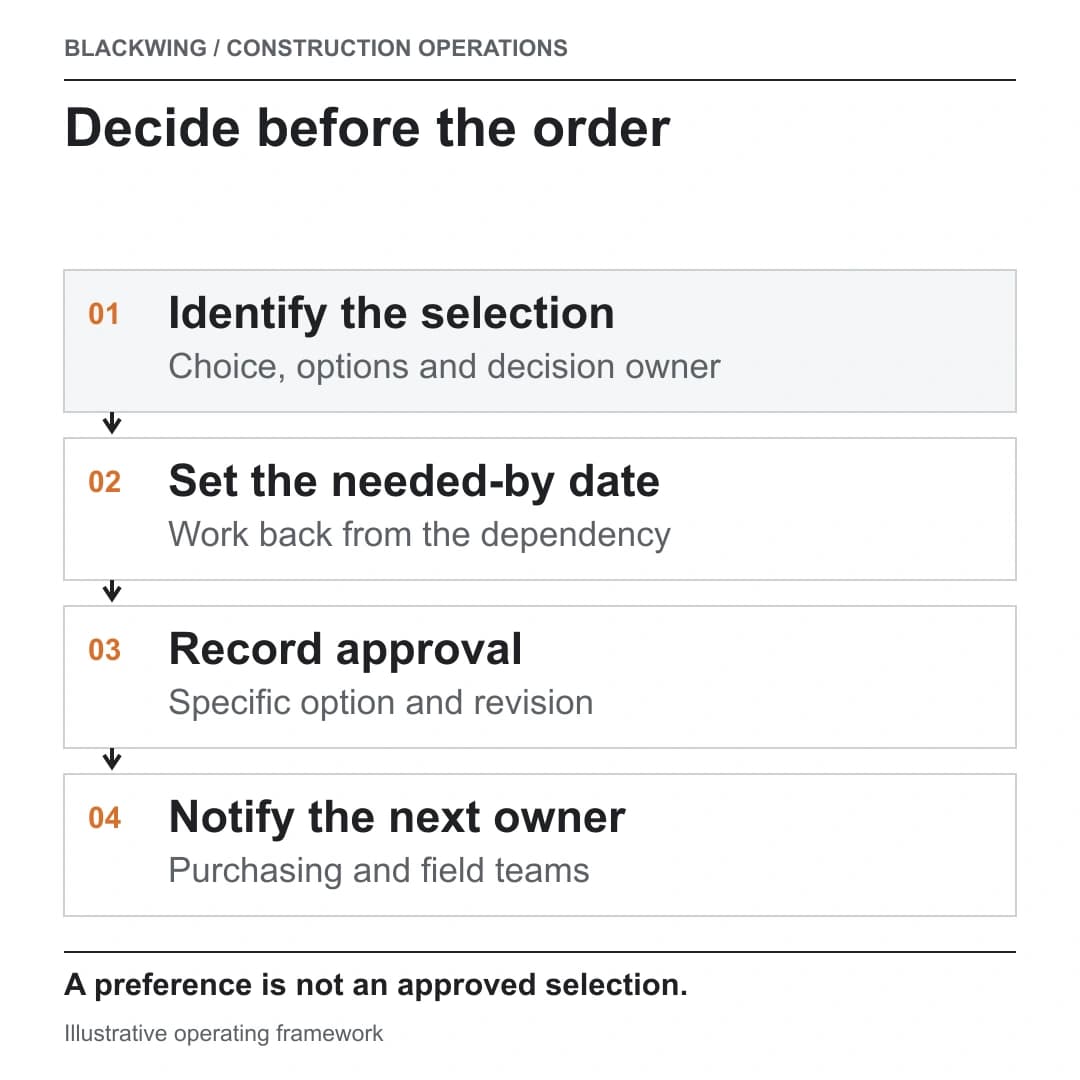
Make every open decision specific
Begin with one item per decision: room or location, product or finish category, available options, selection owner, approval method, current revision and required-by date. Link supporting samples, drawings or submittals where they matter. Avoid a single row called “finishes” if it hides multiple decisions with different lead times.
Work backward from the dependency. If a fixture must be ordered before rough-in coordination, the needed-by date should be connected to that project milestone and the actual supplier lead time, not an arbitrary reminder. Make the reason and source for the date visible so the client and team can see what is at risk if it slips.
Buildertrend’s product documentation illustrates a selections workflow with options, allowances and recorded approvals. That is an example of software features; contract terms determine how a choice affects price and scope. (Buildertrend selections overview)
Record the decision that purchasing can use
When the choice is approved, record the exact option and revision, the approving person and date, any associated allowance or commercial note, and who was notified. Make the current approved selection easy to distinguish from a superseded option. Purchasing should not need to infer the client’s preference from a message thread or an old sample photo.
Hypothetical example
A client chooses a tile after the team has priced a different allowance option. The selection log records the chosen product, finish, supplier reference and approval date. Before ordering, the project team checks the agreement and routes any price or scope difference through the authorized commercial process. Purchasing receives the approved selection and the field lead receives the current installation reference. The customer’s preference is recorded, but it is not treated automatically as authorization for a contract change.
If the item is discontinued or the customer asks to switch after approval, create a new decision record or revision linked to the original. Route cost, procurement and schedule effects for review before the team treats the change as settled.
Route late or changed selections
Give the selection a visible status: not yet requested, options issued, awaiting decision, approved, ordered, superseded or exception review. Define who updates status and how overdue decisions are escalated. A late choice may affect procurement, sequencing, or another trade’s work; record the dependency and ask the authorized project team to assess it.
Keep client choice tracking distinct from formal change control, procurement and submittal review. A selection may inform those processes, but it does not replace them. Procore describes a separate change-order request workflow for documenting and reviewing scope changes. (Procore change-order requests) See construction change-order management, supplier quote changes, and submittal process for those related controls.
Give each open choice a next action, not just a due date. The person requesting a decision should know whether the client needs a sample, comparison, budget clarification or revised drawing. Record when options were sent and how the client can ask a question. A missed date may reflect missing information rather than indecision, so make the blocker visible before escalating.
Keep a revision history when options change. Do not overwrite an earlier approval with a new product name; link the new decision to the old one and mark the earlier option superseded. This helps purchasing confirm which order reflects the current choice and helps the field team understand why a sample or submittal no longer applies.
At project meetings, review choices by the next dependency rather than alphabetically. The next installation or order date determines which unanswered selection matters first. A short list of decisions due soon, the person who owns each, and the consequence of a delay is easier to act on than a long spreadsheet with no priority signal.
Four questions about construction selections
What is a selections schedule?
It is a controlled list of required choices, decision owners, options, revisions and needed-by dates that makes dependencies visible to the project team.
Why record the exact option and revision?
So purchasing and field teams can act on the same approved choice and avoid relying on a superseded sample, message or drawing.
Is client approval the same as a change order?
Not automatically. Review the actual contract and follow the authorized change process when a choice affects scope, price or time.
What happens when a choice is late?
Record the open dependency and route its possible purchasing or schedule effect to the project roles authorized to decide how to respond.
Close the loop from choice to field
A selection is complete operationally when the approved option is clear, the relevant downstream owners have it, and any commercial or schedule exception has been routed. That simple discipline helps prevent a preference, an approval and an order from being confused as the same event. If your client decisions cross several systems or teams, request an operations review.
Written with the help of Laura, Ahmed Fahmy’s AI assistant, based on his ideas and under his supervision.