
Nobody has lost the project folder. The problem is that the most useful information was never in it.
Construction daily reports are dated records of site activity, conditions, progress, and significant events. Used well, they help the field and office share a reliable account of the work. Used badly, they become another form that someone fills out because someone else asked for it.
For a growing contractor, the goal should be continuity. Another authorized person should be able to understand the current position without reconstructing the day through calls and message threads.
Record what another person needs to understand
A daily report does not need to capture every conversation. It needs enough factual detail to explain what work occurred and what requires attention.
Procore's guide to construction daily reports covers records such as labor, equipment, work performed, conditions, and significant site events. Your required content will depend on the project and its reporting obligations.
Start with those obligations, then ask what information the receiving team actually uses. If a field is never read, clarify its purpose before making it mandatory. If a decision repeatedly stalls because information is missing, improve that part of the report.
I would rather have a short report that leads to a timely decision than a complete-looking report nobody opens until there is a dispute.
Separate the record from the action queue
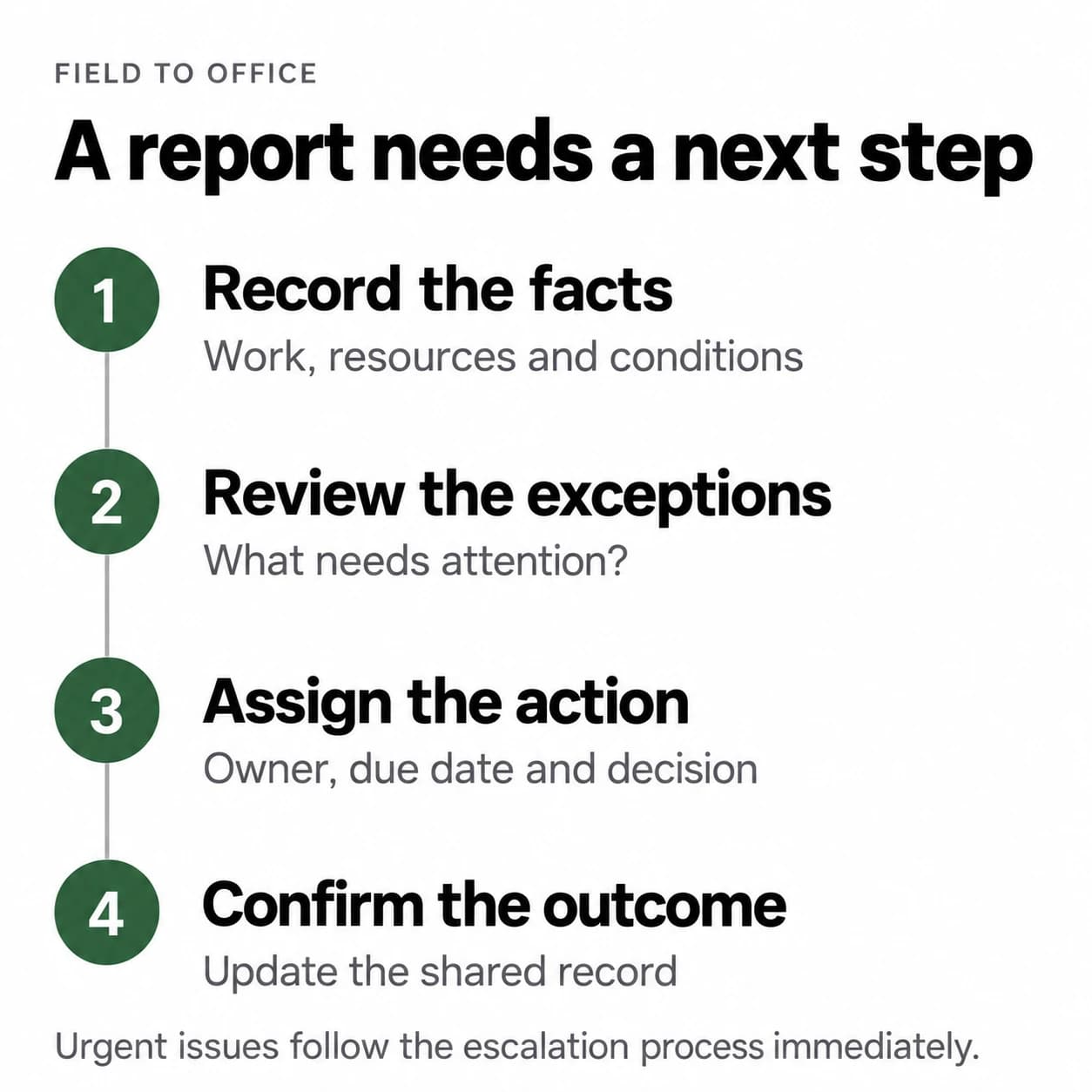
The daily report should preserve what happened. An action queue should show what needs to happen next. They need to be connected, but they do different jobs.
“Delivery did not arrive” belongs in the record. “Purchasing to confirm revised arrival by 10 AM” is an action, with an owner and a due time.
If both are buried in the same paragraph, the office may understand the problem without realizing it owns the response. If the action is tracked elsewhere without a link, the context gets lost.
Give significant exceptions an ID or a link to a tracked item. Keep the original observation visible as the issue moves through investigation and resolution.
Use a small set of fields consistently
For an internal reporting workflow, these are useful starting points rather than a universal compliance checklist:
- Project, work date, report author, and submission time.
- Work performed, identified by area or work package.
- Relevant crew hours, equipment use, and material deliveries.
- Conditions or constraints that affected the work.
- Important instructions, inspections, or changes, with source references.
- Open issues that need an owner, decision, or escalation.
Describe observations precisely. “Level 2 work delayed” tells the office very little. “Ceiling installation in rooms 201 to 204 could not start because the preceding inspection was not complete” gives someone a problem they can investigate.
Keep facts separate from estimates and interpretations. Record how progress was assessed. If a number is provisional, label it that way rather than making it look confirmed.
Make the review responsibility as clear as the reporting responsibility
The superintendent or designated field lead may prepare the report. Someone in the receiving team must check it and route exceptions. Name that person and a backup.
Set a practical submission and review cadence around the work. A report completed after the next day's planning meeting may still preserve history, but it cannot inform that meeting.
The reviewer should check material gaps, identify decisions, and confirm who is acting. They should not quietly rewrite the field account. Corrections should preserve who changed what and why.
For safety incidents or other urgent conditions, follow the immediate reporting and response procedures that apply to the project. A routine daily report must never become a reason to wait until the end of a shift.
Test it with one ordinary absence
Imagine a superintendent is unavailable tomorrow. This is a hypothetical test, not a recommendation to remove required site supervision.
Can the authorized cover person find the current work position, significant restrictions, outstanding decisions, and the people responsible for them? Can the project manager see whether an issue was merely recorded or actually assigned?
Try the test with an existing report. Give a colleague the report and its linked records, then ask them to explain the next day's priorities. Note where they need information that exists only in someone's memory.
The aim is not to replace the superintendent's judgment. It is to keep ordinary coordination from depending entirely on that person's availability.
Connect field reporting to the right workflows
Daily reports can support other processes without becoming a substitute for them. A recorded scope request should feed the change order process. Labor and progress records can support construction job costing. Neither connection should imply automatic approval or a reliable forecast without review.
Use the project's document and system controls to decide where information belongs. Avoid copying the same event into several tools with different owners and no clear source of truth.
This is where workflow design matters more than another reporting template. Define the trigger, recipient, decision, and follow-up before configuring reminders or an integration.
Use automation to assist the record rather than invent it
Automation can remind the owner, flag a missing field, or route an exception. An AI summary may help a project manager scan several reports, provided the underlying records remain accessible and the summary is checked before consequential use.
Do not let a model infer unreported progress, manufacture missing hours, or turn an ambiguous note into a confirmed instruction. Review voice transcriptions and photo descriptions before they become part of the record.
Apply access controls to photographs and documents. Include what is relevant to the project and permitted under its rules, rather than gathering personal information because the tool makes it easy.
Make reporting useful to the person doing the work
When reports consistently produce clarification, decisions, or support, the field team has a reason to maintain them. When reports disappear into a folder, reminders only create more administration.
Blackwing's workflow systems implementation connects reporting responsibilities, exceptions, and follow-up inside the tools a team uses. Book an operations review to examine what happens after a report is submitted.
The useful test is simple: when the usual person is unavailable, can the rest of the business still understand the work?
Frequently asked questions
What should a construction daily report include
Include the work date, author, work performed, relevant resources, site conditions, significant events, and issues needing attention. Meet the project's specific reporting requirements and distinguish confirmed facts from estimates or interpretations.
Who should review construction daily reports
Assign a project manager or another authorized receiving role, with a backup. The reviewer checks material gaps and routes decisions to the right owner. Responsibility for submitting a report should not leave responsibility for acting on it undefined.
How do daily reports improve field to office communication
They provide a shared, dated account of site activity. Connecting significant exceptions to named owners and tracked actions helps the office respond without repeatedly asking the field team to reconstruct what happened.
Can AI write construction daily reports
AI can assist with transcription, formatting, or summarizing supplied information, but an accountable person should verify the record. It should not invent observations, progress, hours, or approvals, and it must operate within the project's data and access rules.